Link masking and Googlebot are best friends! Simple masking of internal links using the onclick event makes it possible. (includes code example)
Understanding link masking correctly
Link masking isnoIt’s magic and it works
with Shopware, Magento, Typo3 or other (shop) systems.
SEO consultant Rene Dhemant
Wir machen aus <a href=”URL”> ein
<span onclick=”location.href=’URL'””> und fertig ist die Linkmaskierung 💡
Link masking and Googlebot are best friends!Thanks to it, we achieve targeted control of the pages to be crawled and indexed.
Sometimes it’s pointless to do that.Blocking a directory using DISALLOW in the robots.txt fileGoogle still indexes the underlying URLs .
A page that’s disallowed in robots.txt can still be indexed if linked to from other sites . While Google won’t crawl or index the content blocked by a robots.txt file, we might still find and index a disallowed URL if it is linked from other places on the web.
URL indexing despitemeta-robots NOINDEX?
Marking the directory URLs with NOINDEX is sometimes not a solution either , because Googlebot has to crawl the URLs first to read and understand the meta information. We don’t want that!
Here’s how it works
Masking links with the onclick event
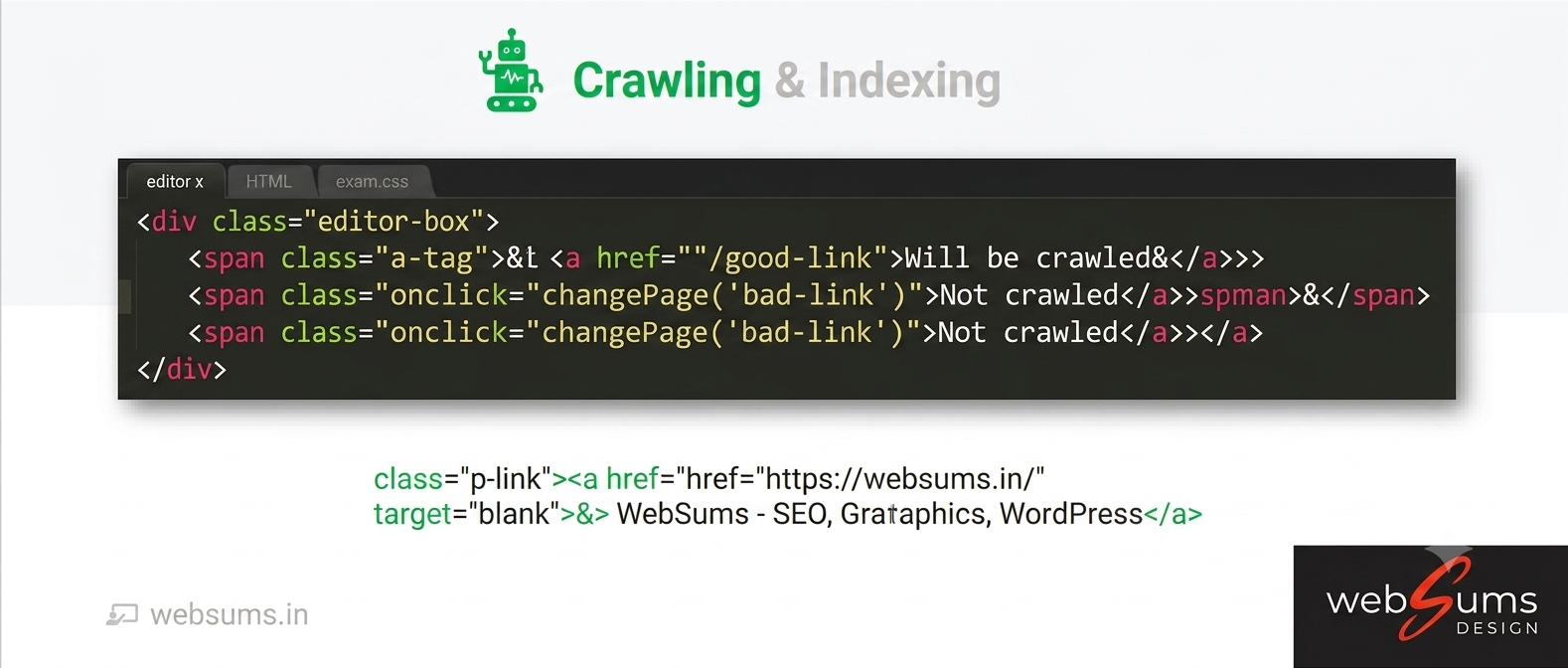
We mask the internal links as shown in the following code example:
[li]
[span class="masked-link" onclick="location.href=
'.../url/zum/internen/linkziel/'"]Textlink[/span][/li]Link masking helps to achieve targeted control of indexed pages by Googlebot. ( Because meta-robots or robots.txt are unsuitable for this purpose ).
Thus, the above internal link unmasked looked:
[li]
[a href='.../url/zum/internen/linkziel/']Textlink[/a][/li]Information sheetLink masking 
Effective link masking using the onclick event isIt’s not rocket science..
Even Google says: Link masking with the onclick event is fast and effective. Googlebot only crawls URLs in a clean state [a href=""] , and we modify this using the onclick event.
Google uses links as a signal for the relevance of pages and for searching for new pages to crawl. Here you’ll learn how to make your links crawlable in general .
Do you use WordPress? Here you’ll find a method to implement link masking in your WordPress template using a “custom code” field – quick & easy.
FAQ
robots.txt DISALLOW
~
meta-robots NOINDEX
Why does Google index my URL despite robots.txt DISALLOW?
Yes, that happens! Specifically, whenever Googlebot considers the target URL important, for example, due to numerous internal or external links (backlinks). Googlebot won't crawl the URL itself, but it will include the URL path in its search index. We don't want this, as it clutters the Google index and Google Search Console with useless pages.
Why isn't meta robots NOINDEX always useful on my site?
The frequent use of the NOINDEX meta tag for internal pages is not advantageous. Firstly, Googlebot has to crawl (visit) each individual URL to see and evaluate the NOINDEX reference. Secondly, Googlebot repeatedly visits the URL at irregular intervals to check whether the NOINDEX tag has disappeared or is still valid. We want to avoid this, as it wastes crawl resources.
How can link masking help me in SEO?
Link masking means hiding a link (ahref=) to an internal page from Googlebot. Google doesn't see this link and can't follow it. Therefore, Google also doesn't see the target page. However, nothing changes for users. The link remains clickable. Link masking is part of index hygiene in search engine optimization.
How do I correctly create link masking using the onclick event?
Link masking can be implemented in two different ways: using PRG patterns (Post-Redirect-Get patterns) or the onclick event. This page describes how to implement link masking using the onclick event. Link masking via the onclick event is arguably the simplest way to implement link masking.
Why should I use the onclick event and not the onload event?
For link masking, always use the onclick event. With the onclick event in JavaScript, a function is only executed when the element in question is actually clicked. The onload event in JavaScript executes an element immediately after the page loads (renders). Link masking only works with the onclick event.
Who can help me and implement link masking for me?
Websums Seo Freelancer and WordPress Developer, a strategic SEO consultant from Hyderabad, regularly works with link masking on large online shop systems and is highly experienced in its implementation. Whether it's PRG patterns or on-click events for internal links, as a freelance SEO consultant.